
Inventory management today goes far beyond counting products in a warehouse. With the rise of multichannel sales, faster supply chains, and growing customer expectations, businesses need robust technological solutions and functionalities.
A modern inventory management software does much more than track inventory levels—it becomes a true command center for business operations. Let’s explore the 7 key features every inventory software should include, along with real-world use cases for businesses.
7 essential inventory management software features

1. Real-Time Inventory Tracking
What it is:
Real-time tracking means every product movement—whether it’s an incoming shipment or a sale—is instantly recorded in the system, often via barcode scanning, APIs, or e-commerce integrations.
How businesses use it:
- A fashion retailer always knows exactly how many units of a specific size are available online and in-store.
- A distributor can confirm product availability before accepting a customer order.
Benefits: Reduced stockouts, fewer costly overstocks, and better customer satisfaction.
2. Multi-location and Multi-Channel Management
What it is:
This feature allows businesses to manage inventory across multiple locations (warehouses, stores, depots) and sales channels (e-commerce, wholesalers, marketplaces) in a single system.
How businesses use it:
- An e-commerce SME selling on Shopify, Amazon, and in a physical store sees all stock levels in one dashboard.
- A manufacturer manages two regional warehouses and decides where to ship an order based on customer proximity.
Benefits: Streamlined logistics, faster delivery times, and improved stock coordination.

3. Process Automation
What it is:
Automation replaces repetitive manual tasks with programmed actions such as automatic purchase orders, reordering alerts, or stock updates. this feature can help you streamline supplier management and order management for your business needs.
How businesses use it:
- A restaurant supply company automatically generates a purchase order when ingredients fall below a set threshold.
- A distributor automatically issues an invoice as soon as goods are shipped.
Benefits: Time savings, fewer human errors, and smoother workflows.
4. Integration with Other Systems
What it is:
The ability for inventory software to connect with other business tools like ERP, CRM, accounting software, or e-commerce platforms.
How businesses use it:
- An online retailer links inventory with Shopify: as soon as an item is sold, stock levels update automatically.
- A company connects its ERP and inventory system, syncing purchases and sales directly with accounting.
Benefits: No duplicate data entry, more reliable information, and a 360° view of operations.

5. Advanced Reporting and Analytics
What it is:
Dashboards, inventory reports and analytics tools that turn raw inventory data into clear insights: stock turnover rates, demand forecasts, and best-selling items.
How businesses use it:
- A retailer identifies best-sellers and adapts future orders accordingly.
- A wholesaler studies seasonal demand trends to optimize restocking.
Benefits: Data-driven decision-making, smarter purchasing, and cost control.

6. Traceability and Lot/Serial Number Management
What it is:
The ability to track products from entry to exit using batch numbers or serial numbers. Track your QR codes, SKU, RFID tags, barcodes, etc.
How businesses use it:
- A pharmaceutical company monitors every batch of medication to ensure compliance and safety.
- An electronics manufacturer records serial numbers for warranty and repair management.
Benefits: Enhanced safety, regulatory compliance, and the ability to quickly execute product recalls if needed.

7. Accessibility and Mobility (Cloud & Mobile)
What it is:
With a cloud-based software, inventory data is accessible from anywhere. Mobile apps let teams manage stock on the go on their own mobile devices.
How businesses use it:
- A warehouse manager scans items with a tablet upon receiving shipments.
- A sales rep checks stock availability on their smartphone before confirming a customer order.
Benefits: Flexibility, real-time collaboration, and higher efficiency for mobile teams.
Bonus: Security and User Access Control
What it is:
A system that protects sensitive data and limits access based on user roles.
How businesses use it:
- Managers see financial reports, while warehouse staff only access stock movements.
- Critical business data is safeguarded against mistakes or unauthorized access.
Benefits: Greater control, reduced risks, and stronger confidentiality.
Conclusion
In summary, a modern inventory management software should:
- provide real-time visibility,
- connect multiple warehouses and channels,
- automate repetitive processes,
- deliver strategic insights,
- and ensure traceability and mobility.
By integrating these features, businesses can improve efficiency, cut costs, and enhance customer satisfaction.
Choosing the right software depends on your specific needs, but these 7 features form the essential foundation of any successful inventory management system.
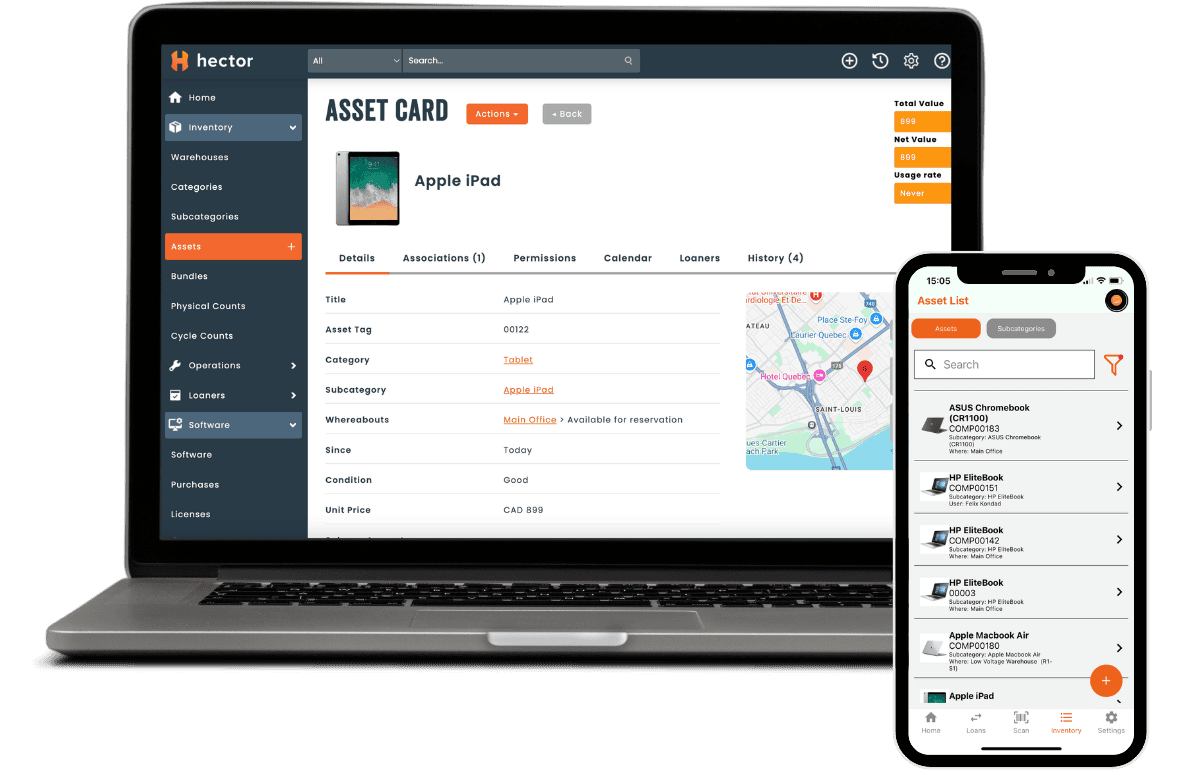
Hector - Complete Cloud-based Solution
Looking for an inventory software?
-
Real-time asset tracking
-
Custom report generation
-
Barcode, QR code, and RFID tag scanning, Mobile app
-
Unlimited users and permissions
