
In 2025, inventory management has become a central challenge for all SMBs (Small and Medium-sized Businesses). Whether you run a retail store, a construction company, or an online shop, knowing where your products are, in what quantities, and at what time is essential to avoid stockouts and optimize costs.
But with the wide range of tools available, one question often comes up: should you choose free software or invest in a paid solution? This article helps you make the best decision for your business.
What is Inventory Management Software for SMBs?
Inventory management software is a digital tool that allows you to:
- Track stock levels in real time.
- Monitor product inflows and outflows.
- Generate reports to analyze performance.
- Centralize information, unlike Excel or paper records.
For an SMB, it’s often the first step toward more professional and automated management.
The specific reality of SMBs
Small businesses don’t have the same needs or resources as large organizations. While bigger companies usually have dedicated logistics teams and complex systems (ERP, multi-site management, advanced automation), an SMB often has to manage inventory with limited resources — sometimes by a single person.
The challenges are therefore different: avoiding stockouts that can directly impact revenue, optimizing storage space, and saving time on daily tasks. For small structures, inventory software must remain simple, affordable, and quick to implement — without requiring heavy training or a large budget.
Which SMBs need inventory management software most?
Many types of businesses can benefit from inventory software — whether it’s for tracking IT equipment, perishable goods, tools, or even a vehicle fleet. However, certain industries have more specific needs. Here’s a few examples;
| Type of SMB | Specific Needs | Benefits of Inventory Software |
| Retail (shops, groceries) | Daily tracking of many items, avoid stockouts | Better stock visibility, reduced losses |
| E-commerce (online stores) | Sync with online store, manage returns | Real-time stock updates, better customer experience |
| Distribution & wholesale | Multi-warehouse, batch & product traceability | Logistics optimization, accurate profitability reports |
| Construction & maintenance | Tracking tools, equipment, and materials across sites | Fewer losses & thefts, better resource allocation |
| Medical & healthcare | Sensitive products with expiration dates, compliance | Traceability, automatic alerts, improved safety |
| Manufacturing / production | Managing raw materials, finished & semi-finished goods | Smoother production, reliable forecasts, fewer delays |
| Food & catering | Perishable goods, purchase management, seasonality | Reduced waste, better demand forecasting |
| IT departments | Computers, IT hardware | Tracking employee loans, software licenses, purchases, maintenance & replacements |
Depending on your type of SMB, inventory management needs can vary greatly.
Free or Paid: How to Decide?
Here are a few things to keep in mind before deciding on a free or paid inventory solution for your small business.
Criteria to Consider Before Choosing Software
Before comparing free vs paid, ask yourself these questions:
- Business needs: simple stock tracking or multi-warehouse management?
- Ease of use: intuitive interface, mobile access?
- Integrations: with accounting, ERP, or e-commerce (Shopify, WooCommerce)?
- Technical support: will you need assistance?
- Security: where is your data stored, and how is it protected?
Free Inventory Management Software: Pros and Cons
It may be tempting to go for a free tool right away. After all, why pay if you can get something for free? But free tools also come with a cost — either in time or in limited capabilities.
Pros
- Zero upfront cost.
- Great for testing and exploring basic features.
- Suitable for micro-businesses or one-off projects.
Cons
- Limited features (few or no alerts, no forecasting).
- Restrictions on users or product numbers.
- Limited or no customer support.
Free = a time investment
Keep in mind that setting up inventory software takes time: auditing your assets, migrating data, ensuring accuracy, learning to use the tool, creating internal procedures and training, and sometimes generating barcodes, QR codes, or RFID tags.
If you’re investing this time, make sure you won’t have to switch tools in a few years because of missing features or rapid business growth. Paid tools also offer simplified setup thanks to data migration features and customer support to guide you every step of the way.
Paid Inventory Management Software: Pros and Cons
Pros
- Advanced features: automatic alerts, forecasting, multi-warehouse.
- Powerful integrations (API, e-commerce, ERP).
- Increased reliability and security.
- Professional technical support.
Cons
- Monthly or annual costs (varying by users and features).
- Requires budget and commitment.
Paid = investment for the future
When you choose a paid solution, you’re investing in the future of your business. You ensure that the software will adapt, remain flexible, and meet your needs over time. The key is to carefully shop for a solution that fits both your current and future business reality.
TLDR:
- Micro-business or pilot project: start with free software.
- Growing SMB: a paid tool quickly becomes necessary to avoid mistakes and save time.
Tip: test a free version or trial before committing.
Common Mistakes to Avoid
1. Choosing Based Only on Price
It’s natural for SMBs to look for the most affordable option, especially when budgets are tight. However, focusing only on price can be a costly mistake in the long run. The cheapest option might lack essential features, offer limited scalability, or require more manual work, which translates into hidden costs in time and efficiency. For example, a free tool without integrations may force your team to manually enter data across multiple platforms — creating delays and increasing the risk of errors. Instead of looking only at the price tag, evaluate the total cost of ownership (TCO): initial setup, training, maintenance, and potential productivity losses. Sometimes, paying more upfront for the right solution can save thousands in inefficiencies later.
2. Not Planning for Future Growth
A solution that fits your needs today may not be able to handle your business tomorrow. Many SMBs underestimate how quickly their operations can grow once they adopt new sales channels, expand into multiple locations, or diversify their product catalog. Choosing software without considering future requirements like multi-warehouse support, forecasting tools, or API integrations can lead to having to switch systems just a year or two down the line — which means re-training staff, re-importing data, and disrupting workflows. The smarter approach is to pick a system that grows with you, offering modular features or flexible pricing plans that can adapt as your business scales.
3. Overlooking User Experience and Support
Even the most powerful software is useless if your team struggles to use it. A clunky interface can slow down adoption, reduce accuracy, and frustrate employees — often leading them to revert to old habits like spreadsheets. Equally important is customer support: when issues arise, can you count on quick, reliable help? Many free or low-cost tools offer little to no support, which can be a dealbreaker if you rely on the system daily to keep operations running smoothly. A good user experience (UX) combined with responsive support ensures your staff can fully embrace the software, minimize downtime, and maximize ROI.
Examples of Inventory Software for SMBs
Paid Software
1. Hector – Complete Asset & Inventory Management
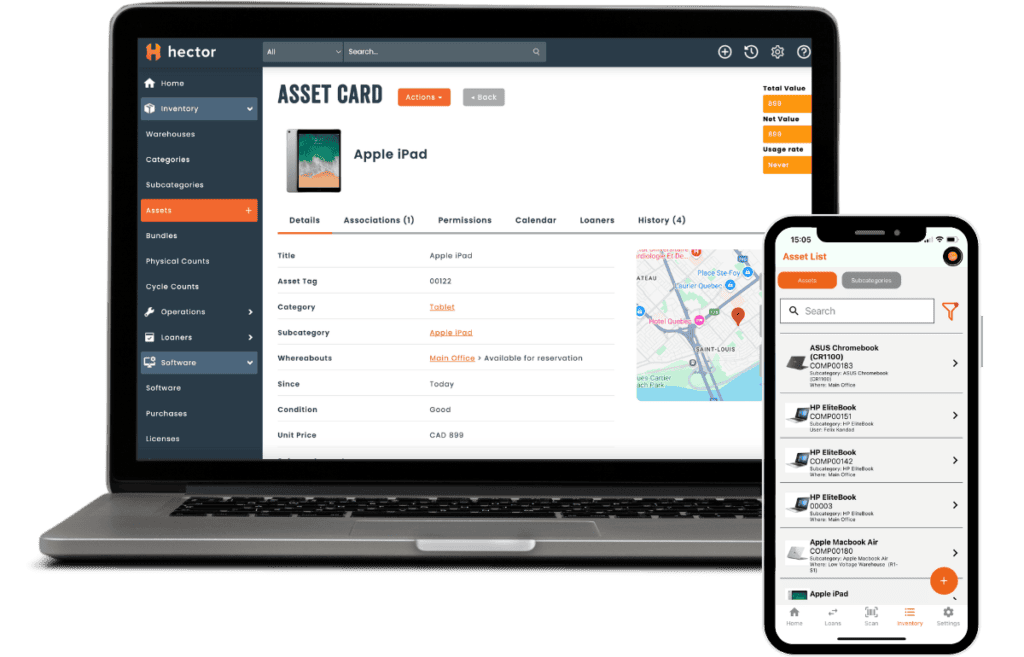
Perfect for: IT departments, healthcare, education, construction.
Hector is designed for businesses of all sizes looking to centralize and automate inventory and equipment management. It tracks stock, equipment loans, locations, and usage history in real time. Its simple interface and stellar support make it a reliable, scalable solution for SMBs. Try it free for 15 days.
2. Zoho Inventory – Ideal for E-commerce & Online Sales

Perfect for: online retailers, multichannel sellers, small businesses on marketplaces.
Zoho Inventory integrates seamlessly with major e-commerce platforms (Shopify, WooCommerce, Amazon, eBay). It also offers order management, invoicing, and shipment tracking. A great choice for SMBs selling online that need automatic stock synchronization across channels.
3. inFlow Inventory – Designed for Distribution, Wholesale & Manufacturing

Perfect for: distributors, wholesalers, and manufacturers managing complex inventory and logistics.
inFlow Inventory includes advanced features for handling large product volumes: batch and serial tracking, multi-warehouse, supplier catalogs, and detailed reporting. Particularly suited to SMBs with complex logistics needs.
Free Software
1. Odoo Community – Flexible and Modular Solution

Perfect for: growing SMBs needing scalable, customizable software beyond inventory (CRM, invoicing, etc.).
Odoo offers a free community version with an inventory module. A great option for SMBs with internal technical resources to install and manage it.
2. Sortly (Free Version) – For Small Teams

Perfect for: micro-businesses, start-ups, and freelancers wanting a simple, visual tool.
Sortly’s limited free version is intuitive and allows tracking a small number of items with photos, QR codes, and quick search. Ideal for testing inventory software with no commitment.
3. ABC Inventory – Free but Technical Solution

Perfect for: industrial SMBs, distributors, or companies with a technical team.
ABC Inventory is a free, feature-rich software (multi-user, batch tracking, detailed reports). However, it requires a local installation and has a more complex interface. Best for SMBs with technical expertise who want to avoid recurring costs.
FAQ
What is the best free inventory software for SMBs?
Zoho Inventory (free plan) or Odoo Community are good fits for small businesses. You can also try Hector for free for 15 days.
How much does paid software cost?
On average, $30 to $150 per month depending on features and users.
Can free software be enough for an SMB?
Yes, but only if your needs are simple and your stock is limited. As your business grows, paid software, like Hector, is more suitable.
What’s the difference between inventory software and an ERP?
Inventory software focuses on stock management, while an ERP manages multiple areas of the business (accounting, HR, production, etc.).
Conclusion
The choice between free or paid inventory management software depends on the size of your SMB, your current needs, and your growth vision.
- Free = ideal to start and test.
- Paid = essential for growing SMBs.
The best strategy: assess your needs, try a free version, then invest in a scalable solution that will support you long-term.
