Rental rate software Your rates, applied automatically to every loan
Charging assets back internally or renting your equipment to third parties? Your pricing rules apply automatically as soon as an asset is moved or loaned out, all the way to the invoice.
A rental rate is the price charged for using an asset over a given period: by the hour, day, week or month. It is used to charge equipment back to an internal department or to rent it to an external customer.
In Hector, the rental rate module applies your pricing rules automatically as soon as an asset is moved or loaned out. Each asset’s record shows its current rental cost.
01 - Rates
Custom rate tables
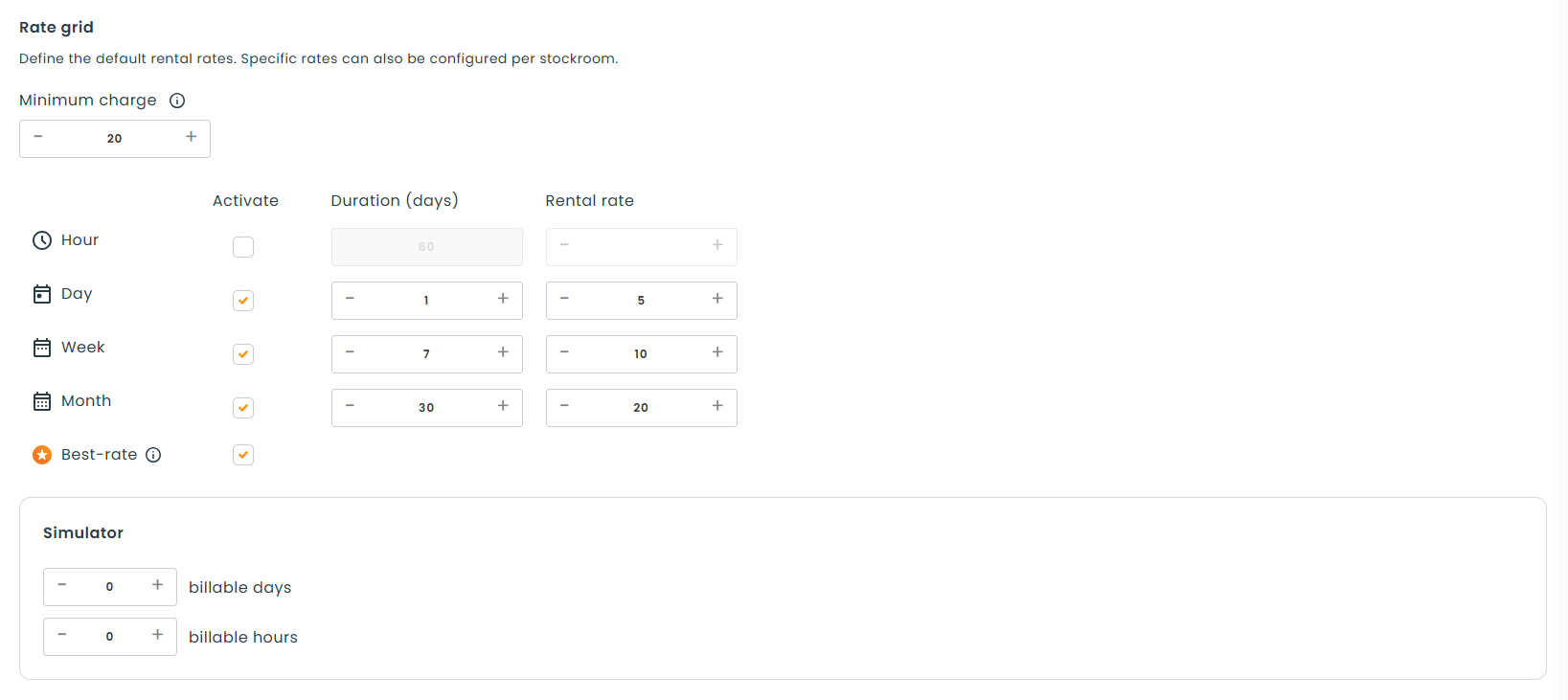
Set custom hourly, daily, weekly or monthly rates based on how your equipment is used.
Hourly, daily, weekly or monthly rates
Automatic calculation on every loan
Multiple rate tables for your needs
02 - Schedule
Fine-grained schedule control
Set a specific schedule to target exactly which days and time slots count toward the calculation. Weekends or evenings can be excluded.
Choose your billable days
Targeted time slots
One schedule per rate table
03 - Precision
Granular customization
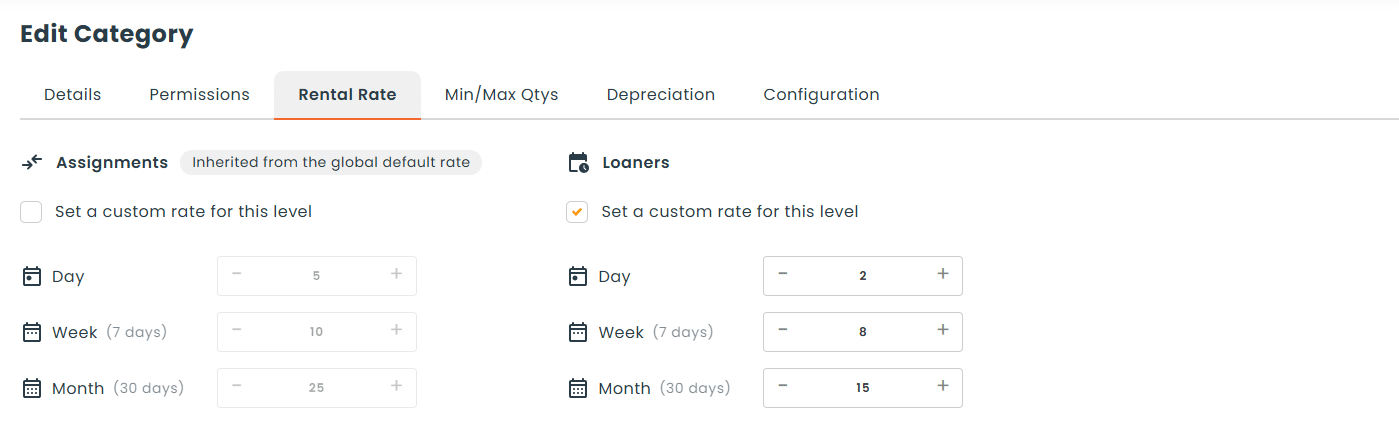
Apply general rules, then fine-tune your rates by category, subcategory, asset or location.
Rules by category or subcategory
Asset-specific rate
Rates by location
04 - Invoicing
Built-in invoicing
Combine rental rates with Hector’s accounting module to generate invoices and record payments directly in the application.
Invoices generated from loans
Payments recorded in Hector
Accounting reports
Every loan calculated, every rental invoiced
Rental rates connect three steps often handled in three different tools: lending the equipment, calculating the cost and invoicing.
How do rental rates work in Hector?
1
Create your rate tables
Hourly, daily, weekly or monthly rates.
2
Set the schedule
Days and time slots included in the calculation.
3
Target your rates
By category, subcategory, asset or location.
4
Loan and invoice
The cost is calculated on loan, then invoiced through accounting.
What is it used for?
Internal chargeback or third-party rental: one module calculates the cost of every use.
nternal chargeback between departments
Job site fleet charged back by project
AV equipment charged back to departments
Equipment rental to customers
Event equipment rented by the day
Tools rented by the week or month
Hector vs Excel
Why an Excel spreadsheet falls short
Criteria
Excel spreadsheet
Hector
Hourly, daily, weekly or monthly rates
Automatic calculation on loan or move
Targeted days and time slots
Rates by category, subcategory, asset or location
Rental cost visible on the asset record
Invoices generated from loans
Payments recorded in the application
FAQ
Your questions, answered
What is a rental rate in Hector?
It is a rate applied automatically to the use of an asset, by the hour, day, week or month. It lets you charge equipment back internally or rent it out to third parties.
When is the rental rate applied?
Your pricing rules apply automatically as soon as an asset is moved or loaned out. The current rental cost is displayed on the asset’s record.
Can weekends be excluded from the calculation?
Yes. You set a specific schedule to target exactly which days and time slots count toward the calculation, so weekends or evenings can be excluded.
Can rates differ by category, asset or location?
Yes. You apply general rules, then fine-tune your rates by category, subcategory, asset or location.
Can I generate an invoice from a loan?
Yes, with Hector’s accounting module, included in the Château plan. The invoice automatically pulls in the issuer, the requester and the assets on the loan. You then record payments directly in the application.
Does Hector process payments?
No. Hector does not process transactions: it lets you record them for better tracking. You log payments received with your own payment methods and find them in the accounting reports.