If you’re considering Cheqroom alternatives, here are five strong competitors:each with what they do best, key features, pricing, plus pros & cons:to help you choose the right tool for managing your equipment, assets, and workflows.
What is Cheqroom?
Cheqroom is an equipment checkout software designed primarily for media production teams, schools, rental houses, and creative organizations. It allows teams to book, check out, and track cameras, laptops, lighting kits, or any kind of gear.
With features like QR code tagging, reservations, equipment calendars, and audit logs, Cheqroom makes it easier to reduce gear loss, schedule equipment, and keep visibility over who’s using what.
However, while Cheqroom is strong in media and audiovisual contexts, it can sometimes be less flexible for industries like healthcare, IT, or construction, where asset management requires more than just booking and check-out.
Why Look for a Cheqroom Alternative?
While Cheqroom is popular, there are several reasons organizations search for alternatives:
- Pricing: Cheqroom is priced per user, which can quickly become expensive for larger teams or schools.
- Industry focus: Its main strength is media and creative industries, meaning other sectors (healthcare, IT, education, construction) may find it lacking in features they need.
- Scalability: Growing businesses often need asset lifecycle management, maintenance scheduling, depreciation tracking, or compliance support:features not fully covered by Cheqroom.
- Flexibility: Some alternatives offer unlimited users, stronger reporting, or offline functionality.
In short, Cheqroom is a great fit for some organizations:but not all. That’s why businesses compare Cheqroom competitors like Hector, Asset Panda, EZOfficeInventory, GigaTrak, and Itemit to find a solution better aligned with their needs and budget.
1. Hector – Best Overall Alternative

Hector is an all-in-one asset management and equipment tracking software that helps teams manage inventory, reservations, and maintenance in real time. Designed for flexibility, it’s ideal for education, healthcare, IT, and construction.
Key Features
- Inventory & asset management: tracking, history, physical & cyclical counts, status flags (lost, defective, etc.).
- Loans & reservations: check-out/check-in, borrowing workflows, minimum stock alerts.
- RFID, Barcode / QR code generation; mobile app (iOS & Android).
- Custom reports, advanced loan settings, integrations, electronic signatures.
Best For
- Small-to-medium teams needing a full-featured, cost-effective asset tracking platform.
- Organizations needing flexibility (mobile + cloud), multiple users, loan/reservation workflows.
- Businesses wanting all-in-one tool including reporting and QR code workflows without paying enterprise scale pricing.
Pricing
- Free trial: 15 days.
- Shield plan: ~ USD $48.99/month for up to 250 assets.
- Mid-tier plans (Armor, Castle) scale by number of assets with more features. For example, Armor is ~$183/month for 1000 assets. (Hector pricing)
Pros
- Affordable entry pricing; unlimited users, flexible (depends both on features and number of assets).
- Full mobile support + strong loan/reservation features.
- Good reporting & customization.
Cons
- Offline usage limitations might apply (not all features work without connection).
- Some advanced/integrated modules cost more or are only in higher tiers.
2. Asset Panda

Asset Panda is a highly customizable asset tracking platform with features for compliance, maintenance, and contract management:ideal for large organizations with complex workflows.
Key Features
- Highly configurable: custom fields, workflows, compliance tracking, contract/license management.
- Mobile app + barcode/QR scanning, audits, asset life cycle tracking.
Best For
- Organizations with large or complex asset portfolios, needing flexibility.
- Industries like healthcare, education, government where compliance, licensing, and contract management are critical.
- Teams that want scalable asset tracking, especially when asset count grows.
Pricing
- Free trial: 14 days.
- Entry pricing often starts around USD $1,500/year for smaller companies tracking a few hundred assets.
- Full quote needed for large-scale / enterprise deployments.
Pros
- Very customizable; feature-rich.
- Strong support for compliance, contracts, custom reporting.
Cons
- Pricing not transparent; need quote.
- Setup/customization can take more time.
- Less suited if you just need basic check-in/check-out with minimal overhead.
3. EZOfficeInventory (EZO)

EZOfficeInventory offers powerful asset lifecycle management with strong maintenance, purchase order, and reporting features. It’s great for growing businesses needing structured operations.
Key Features
- Asset tracking, reservations, alerts & basic reporting.
- Maintenance / scheduled services, purchase orders, advanced reporting.
- Integrations, custom roles / access controls in higher tiers.
Best For
- Teams that need to manage asset lifecycles including maintenance and repairs.
- Businesses that want a mature app with lots of modules / integrations.
- Users who want to scale (more items, more features) without completely replatforming.
Pricing
- Free 15-day trial.
- Essential plan: USD ~$35/month (billed annually) for ~250 items.
- Advanced, Premium tiers go higher (~$55-$65/month) with more items and features.
Pros
- Strong maintenance & service scheduling features.
- Good maturity: many integrations, good mobile support.
- Scales with organization growth.
Cons
- For small inventory & minimal needs, cost per item/user might feel steep.
- Mobile app features sometimes lag desktop.
4. GigaTrak

GigaTrak provides reliable tool and equipment tracking with both cloud and on-premise options:ideal for construction, field service, and manufacturing environments.
Key Features
- Tool / equipment tracking, barcode scanning & label printing.
- Employee assignments, history logs, and usage tracking.
- Option for cloud or on-premise deployments.
Best For
- Construction, field service, manufacturing – any environment with physical tools that need to be checked in/out.
- Companies who prefer or need on-premise option for security or connectivity reasons.
Pricing
- Pricing requires contacting sales.
- Typically, expect quotes based on number of tools/users/modules.
Pros
- Flexibility in deployment (cloud or on-site).
- Well suited to tool-heavy workflows.
Cons
- Less transparent pricing.
- UX might be more basic compared to newer SaaS-first platforms.
5. Itemit
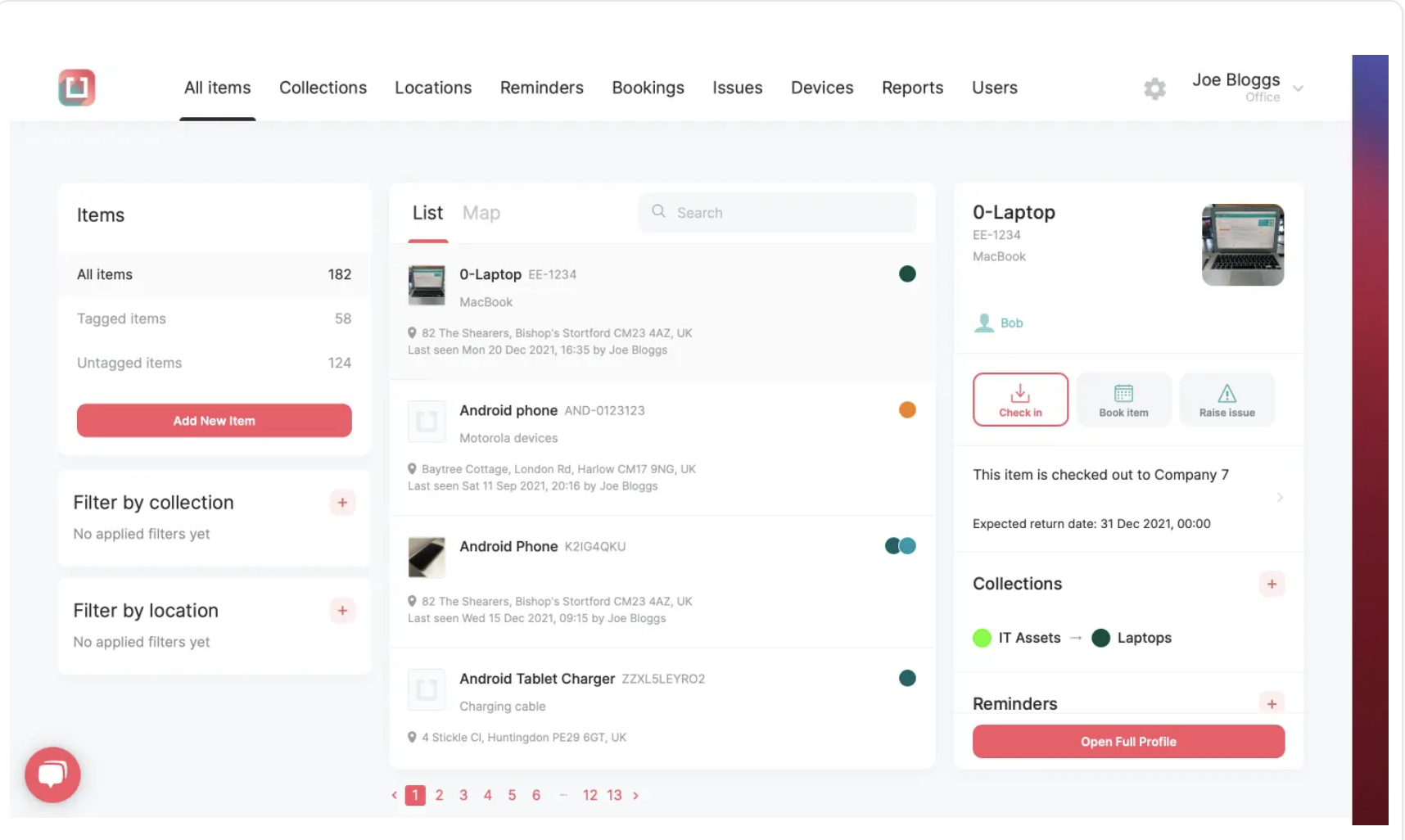
Itemit is a simple and affordable asset tracking tool that supports QR, barcode, and RFID tagging:perfect for small teams or organizations needing mobile access and offline functionality.
Key Features
- QR & barcode tagging; checkouts / bookings; reminders, reporting.
- Mobile app with offline functionality in some plans.
- Supports RFID, GPS trackers, batch asset features in higher tiers.
Best For
- Small or medium-sized organizations wanting simple but solid asset tracking.
- Teams with occasional offline use or field operations needing mobile access.
- Organizations that don’t need heavyweight modules or cost, but want flexibility.
Pricing
- Free trial: 14 days.
- Starter plan: £26.99/month (≈ USD equivalent; pay per user, small user count) for up to 1,000 items.
- Pro / Industrial plans cost more, include unlimited users, more add-ons (RFID readers, API, etc.).
Pros
- Very budget-friendly to start.
- Offline mobile / field capacity.
- Good support & flexibility.
Cons
- For large scale operations or advanced reporting, you will need higher tiers or add-ons.
- Some features (RFID, GPS, API access) are only available as paid extras.
Final Take
If you want a quick summary:
| Solution | Best For | Starting Price* |
| Hector | Broad features, scalable, good value | ≈ $48.99/month for 250 assets |
| Asset Panda | Large portfolios; high customization | ≈ $1,500/year for entry level |
| EZO (EZOfficeInventory) | Lifecycle & maintenance heavy use cases | ≈ $35/month for ~250 items |
| GigaTrak | Tool / field / construction-type tracking | Custom quote |
| Itemit | Smaller budgets, field/mobile use | ≈ £26.99/month for Starter |
*Prices are approximate, often billed annually; can vary based on number of assets, users, or required modules.
Conclusion: Finding the Right Cheqroom Alternative
Choosing the right Cheqroom alternative depends on your organization’s size, budget, and the type of assets you manage. While Cheqroom shines for media production teams, many organizations need more flexibility, lower costs, or broader functionality.
If you’re looking for an all-in-one, affordable, and scalable equipment management software, Hector stands out as the best Cheqroom alternative. With real-time asset tracking, maintenance scheduling, multi-location visibility, and unlimited users, Hector adapts to industries from education and healthcare to IT and construction.
Before committing to a platform, compare your options carefully:look at pricing models, scalability, mobile usability, and data security. The right software can save countless hours, reduce losses, and simplify your team’s daily operations.
Start your free trial with Hector today and discover a smarter, more flexible way to manage your equipment.