Requisition software Every equipment request, approved and fulfilled
Employees, customers, suppliers or subcontractors request the equipment they need, whatever the stock level. You approve the request, then fulfill it with an immediate move, a transfer or a purchase order.
A requisition is a formal request for equipment or stock. A user submits it, and it must be approved before it is fulfilled. It states what is requested, for whom, where and by when.
In Hector, requisitions are part of the Operations module. A requisition can be submitted even if the equipment isn’t in stock. Your inventory team then plans the response line by line, based on available stock levels.
01 - Access
Requests open to everyone, without showing everything
Employees, customers, suppliers or subcontractors can all submit requests. Regular requesters see a simplified form, while your staff can access the status, the assignee and internal notes.
Simplified form for requesters
Each requester tracks their own requisitions
Drafts can be edited before submission
02 - Control
Mandatory approval, always up-to-date status
Turn on required approval so nothing leaves your inventory without authorization. Every requisition shows its status, from draft to completion.
“Approval required” option
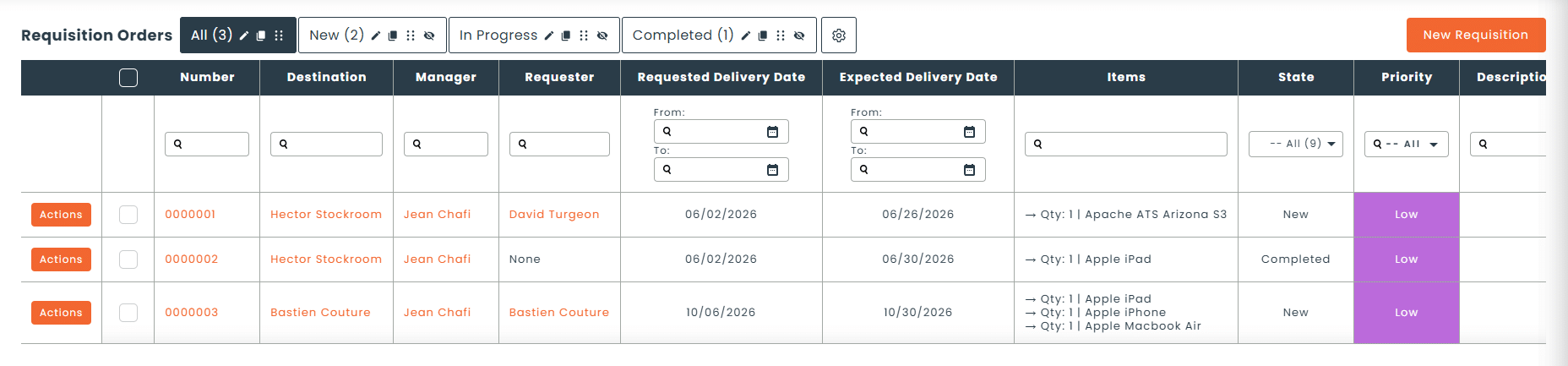
8 statuses, including Overdue
Process owners see every request
Requesters notified at every status change
03 - Configuration
A workflow set up around your organization
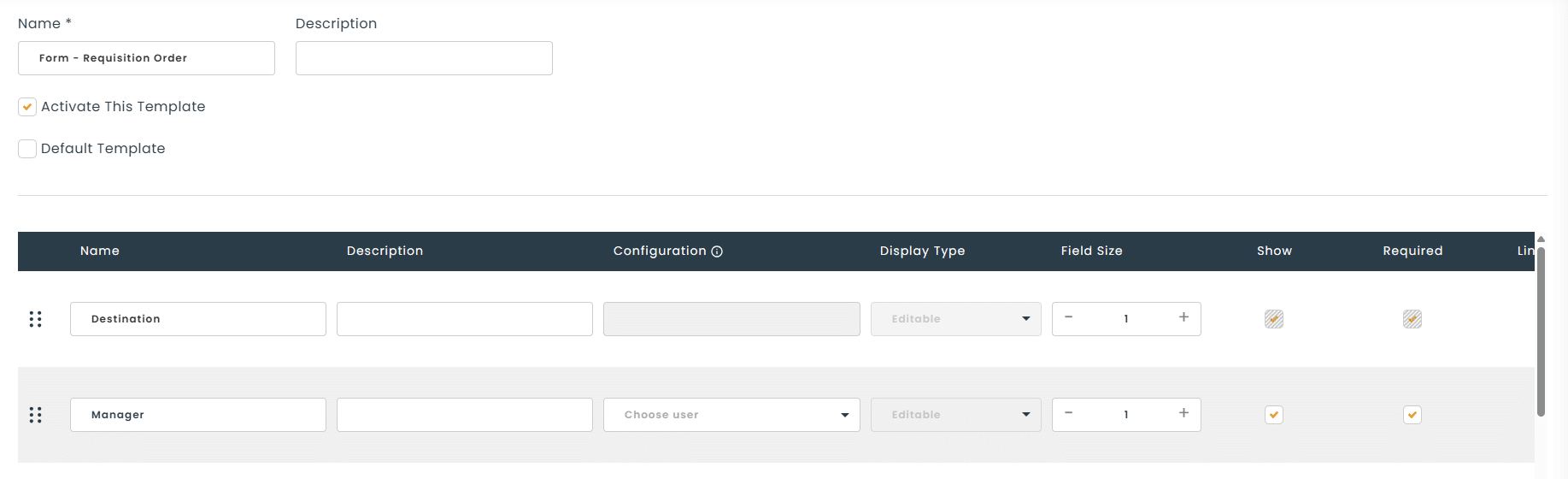
Define the prefix and numbering, the default destination and assignee, how prices and addresses are displayed, a custom message, and the fields shown in the grid and the form.
Custom numbering
Default destination and assignee
Configurable form fields
One requisition, three ways to fulfill it
Immediate dispatch
Transfer
Order
Once a requisition is approved, your staff reviews available stock for each line and chooses the right action. The requisition stays open until every line is fulfilled.
How do requisitions work in Hector?
1
The requester submits
They specify the equipment, the delivery address, the requested date and the priority.
2
The request is approved
If approval is required, a manager approves or rejects the requisition.
3
Stock is reviewed
Each line gets an immediate move, a transfer or a purchase order.
4
The request is completed
The requisition stays open until every line is fulfilled.
What types of requests is it for?
From a simple consumable to a complete set of equipment, requisitions centralize all your equipment needs.
Employee equipment requests
Subcontractor requests
Equipment for an event
Supplies for a job site
External customer requests
Multi-site requests to a central warehouse
Hector vs Excel
Why email and spreadsheets fall short
Criteria
Excel
Hector
Approval tracked before the request is fulfilled
Status visible to the requester
Fields limited by requester type
Available stock reviewed line by line
Transfer or purchase order generated from the request
Request stays open until fully fulfilled
Centralized request history
The Operations module, order by order
Requisitions connect with your other operations. Once approved, a requisition becomes a transfer or a purchase order, and the equipment provided can feed into your work orders.
Requisitions
Request equipment with approval, whatever the stock level.
It’s an equipment request submitted by an employee, a customer, a supplier or a subcontractor, whatever the stock level. Your inventory team approves it, then fulfills it based on available stock.
Can I require approval before a requisition is fulfilled?
Yes. With the “Approval required” option, every new request stays in Pending Approval status until a manager approves it.
What happens if the requested equipment isn’t in stock?
The requisition can still be submitted. For each line, your staff chooses the action that fits the stock situation: an immediate move, a transfer order from another location, or a purchase order to restock. The requisition stays open until every line is fulfilled.
What are the statuses of a requisition?
A requisition can have 8 statuses: Draft, Pending Approval, New, In Progress, Overdue, Completed, Archived and Canceled.
Can a requester track their requisition?
Yes. Each requester can view their own requisitions and edit their drafts before submitting them. With custom notifications, they can also be notified automatically at every status change.
Can I set requisition permissions when importing my inventory?
Yes. The inventory import template includes permissions by category (view, booking and requisition). You don’t need to set up this access manually after the import.