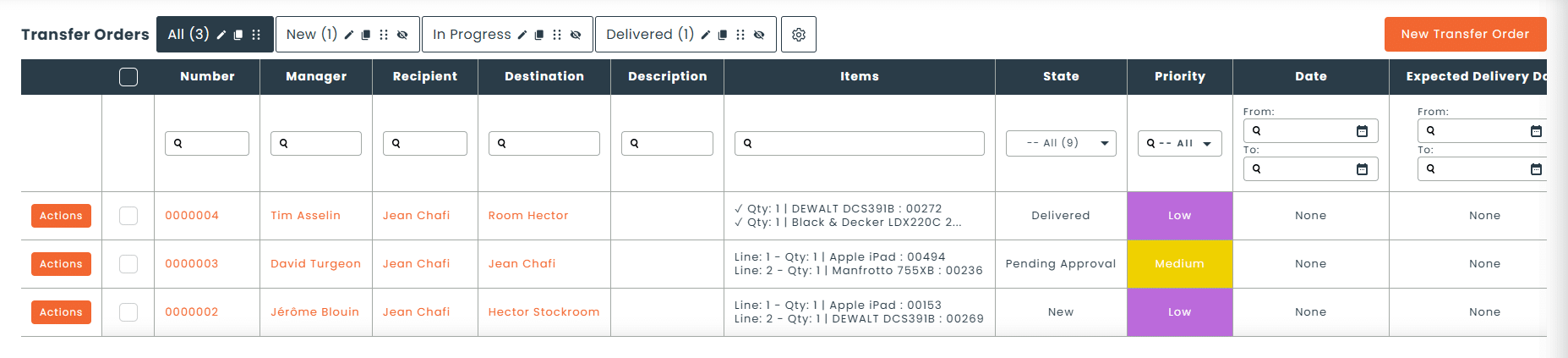
A transfer order is the document that authorizes and tracks the movement of assets from one location to another. That can be between two warehouses, from a depot to a job site, or between two sites.
In Hector, transfer orders are part of the Operations module. A transfer order generates a delivery slip and lets you track every step of the delivery, from approval to receipt.
01 - Control
Approved transfers, with an assigned owner
Require approval for transfers and assign an owner to every move. You always know who authorized what, and who is handling it.
Transfer approval
Assigned owner
Transfer validation
02 - Speed
Fast scanning at shipping and receiving
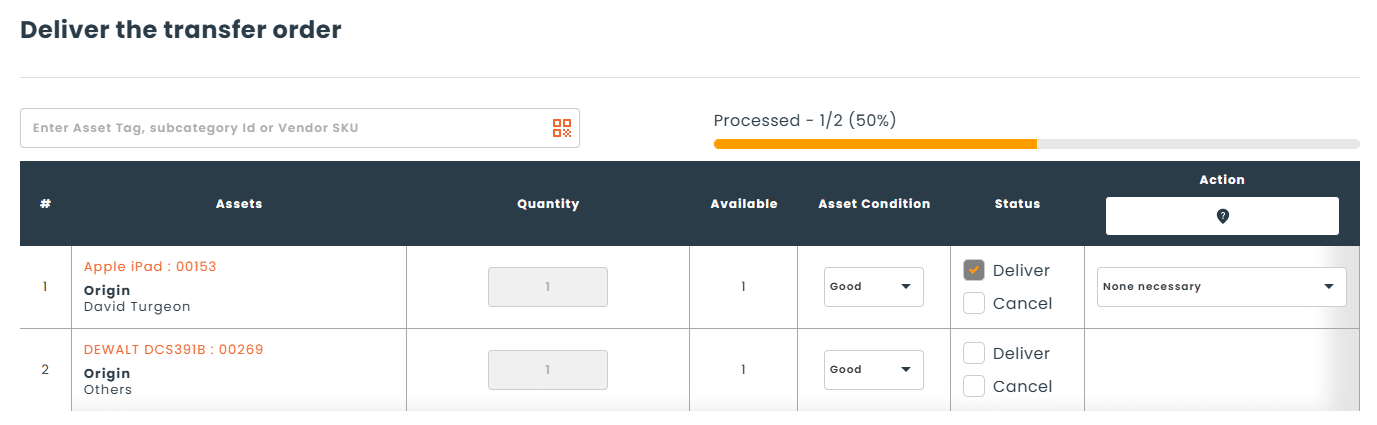
Scan asset barcodes when they leave, then again when they arrive. Your teams confirm moves in seconds, with no re-entry.
Scanning at shipping
Scanning at receiving
Barcodes and mobile app
03 - Traceability
Every step of the delivery, tracked
Generate a delivery slip and track the transfer’s progress until it is validated at its destination.
Delivery slip generated
Every step tracked
Detailed history of every change
Consumables deducted automatically on transfer
The transfer that fulfills a request
When an approved requisition involves equipment available at another location, your staff fulfills it with a transfer order. The request and the move stay linked.
How do transfer orders work in Hector?
1
Create the transfer
Specify the origin, destination, assets and owner.
2
Get it approved
The transfer is approved by an authorized person.
3
Scan at shipping
Assets are scanned when they leave.
4
Validate at receiving
Assets are scanned when they arrive and the transfer is validated.
What types of moves is it for?
Warehouses, job sites, schools or offices: transfer orders track every asset movement.
Moves between warehouses
Equipment returns to the depot
Requisition deliveries
Equipment sent to a job site
Redistribution between schools or buildings
Office relocations
Hector vs Excel
Pourquoi un tableur Excel n'est pas efficace
Criteria
Excel
Hector
Transfer approval
Assigned owner
Scanning at shipping
Scanning at receiving
Delivery slip generated
Every delivery step tracked
Transfer linked to a requisition
The Operations module, order by order
Transfer orders connect with your other operations. An approved requisition can be fulfilled by a transfer from another location, and the equipment moved feeds into your work orders.
Requisitions
Request equipment with approval, whatever the stock level.
It’s the document that authorizes and tracks the movement of assets from one location to another. It includes approval, an assigned owner, and asset scanning at shipping and receiving.
Can I scan assets at shipping and receiving?
Yes. Hector lets you scan barcodes quickly when a transfer leaves and when it arrives. The new scanning engine in the mobile app speeds up barcode reading in the field.
Can a transfer require approval?
Yes. Transfers can require approval before shipping, and an owner is assigned to every move. Validating the transfer confirms it was received at its destination.
Can I generate a delivery slip?
Yes. A transfer order generates a delivery slip and lets you track every step of the delivery, from approval to receipt.
How are transfer orders linked to requisitions?
When an approved requisition involves equipment available at another location, your staff fulfills it with a transfer order. The equipment is delivered to the requester, and the request stays linked to the move.
Can I choose a shelf as a transfer destination?
Yes. When creating a transfer order, you can choose a shelf, meaning a specific spot in a warehouse, as the destination. The term “shelf” may vary depending on how your platform is configured.
Which Hector plans include transfer orders?
Transfer orders are included in the Castle plan.Les bons de transfert sont inclus dans le plan Château.