
Work Orders
Work order software
Hector adapts to your processes
Fully custom forms, separate forms for each stage and role, hours and assets logged in a few clicks, and a new Production mode to create finished goods directly in your inventory.




What is a work order?
A work order is a document that authorizes, describes and tracks a job on an asset or a location. It records what needs to be done, who does it, how long it takes, which tools are required and which assets are consumed.
In Hector, work orders are part of the Operations module, alongside requisitions, purchase orders and transfer orders. You create a work order directly from an asset, a location or a checkout. You can then print it or send it to your internal or external customer.
Fully custom forms
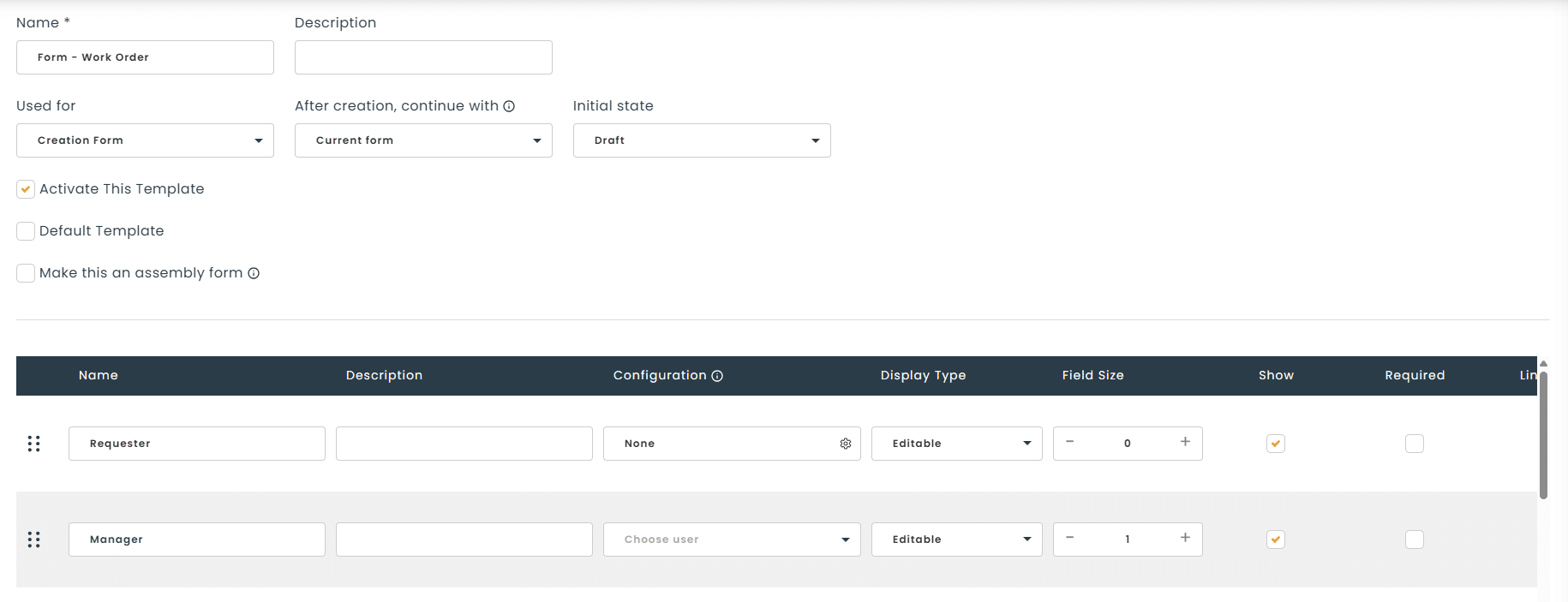
You have full control over every form. Choose which fields appear, where they go and whether they’re required. Then group your information into your own sections.
- Field visibility and order
- Required or optional fields
- Custom sections
Step 1
Creation
Short form for the requester
Step 2
Processing
Hours, assets and tasks logged in the field
Step 3
Closing
Validation and required closing fields
Control the process from start to finish
Create a separate form for each stage of the work order: creation, processing and closing. Then assign specific forms based on your users’ roles and permissions, so your internal processes are followed to the letter.
- One form per work order stage
- Forms assigned by role
- No closing without the required information
Lightning-fast data entry in the field
The line-item tool has been redesigned. Add assets, hours, locations and custom tasks from a simpler, more visual interface. Your technicians spend less time documenting and more time on the job.
Assets
Hours
Locations
Custom tasks
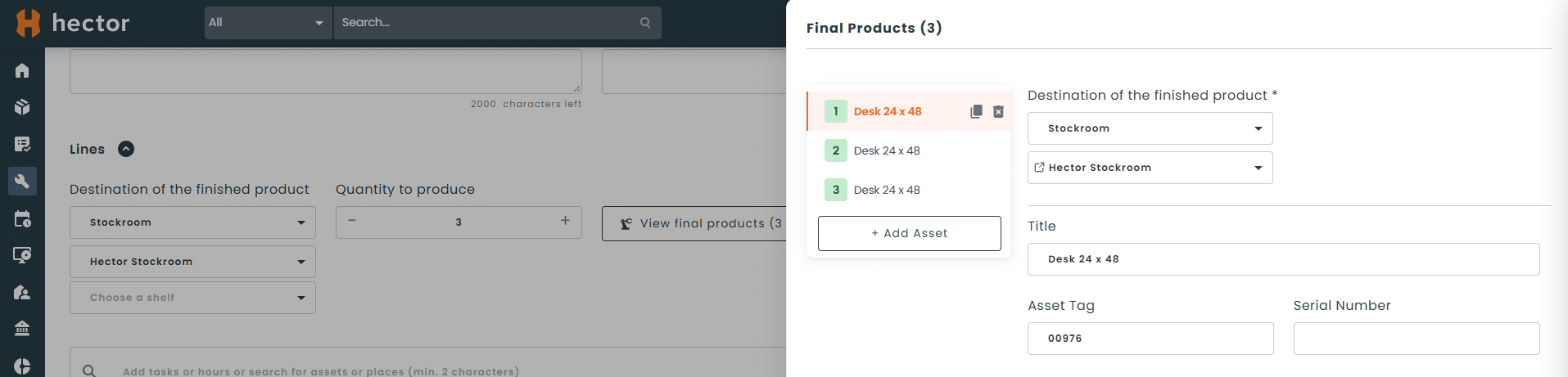
Production mode: from components to finished goods
When a work order is closed, the raw materials or components used can automatically create a new asset, or finished good, and add it to your inventory. Your assembly line and your inventory stay in sync.
How do work orders work in Hector?
1
Set up your forms
Define fields, sections and rules for each stage and each role.
2
Create the work order
Start from an asset, a location or a checkout, using the creation form designed for the requester.
3
Notify and print
The right people are notified automatically at every stage. Print the work order or send it to the customer in one click.
4
Carry out the job
The technician adds hours, consumed assets, locations and custom tasks.
5
Close and track
The closing form is validated and the work order is printed or sent. In Production mode, the finished good is created.
What types of jobs is it for?
Internal ticketing, external customer requests or production: every request becomes a work order, tracked until it’s closed, with the right form for each need.
- Internal repair requests
- Building or facility work
- Kit and finished-goods assembly
- On-site jobs for external customers
- Time tracking by technician
Pourquoi un tableur Excel n'est pas efficace
| Criteria | Excel | Hector |
|---|---|---|
| Fields tailored to your process | ||
| Required fields enforced before closing | ||
| Separate form for each stage (creation, processing, closing) | ||
| Forms assigned by user role | ||
| Hours, assets and locations on a single record | ||
| Consumed assets tracked in inventory | ||
| Finished good created automatically at closing | ||
| Printable work order you can send to the customer |
The Operations module, order by order
Work orders connect with your other operations. An approved requisition becomes a transfer or a purchase order, and the materials consumed feed into your work orders.
Work orders
Plan and document every job on your assets and locations.
You are here
Your questions, answered
Can I make certain fields required on a work order?
Yes. For each form, you choose which fields appear, where they go and whether they’re required. Required fields must be filled in to validate the form for the current stage.
Can I assign a different form based on the user’s role?
Yes. You assign specific forms to your users’ roles and permissions for each stage: creation, processing and closing. Each person sees only the fields relevant to them, and your internal processes are followed.
What is Production mode in Hector?
Production mode turns a work order into an assembly order. When the work order is closed, the raw materials or components used automatically create a new asset, or finished good, in your inventory.
What information can I add to a work order?
A work order brings together the assets, hours, locations and custom tasks related to the job on a single record. You can also list the required tools and consumed assets, using a simple, visual line-item tool.
Can I create a work order directly from an asset?
Yes. You can create a work order directly from an asset, a location or a checkout. The item’s information is carried over automatically, with no re-entry.
What’s the difference between a work order and a requisition?
A requisition is used to request equipment, with approval, whatever the stock level. A work order is used to plan and document a job on an asset or a location: who does the work, how long it takes and with what equipment.
Can work orders be generated automatically from a maintenance plan?
Yes. Hector’s maintenance plans automatically generate work orders based on the frequency you set. You can combine multiple maintenance tasks and standardize inspections with custom checklists.
Can I get notified automatically at each stage of a work order?
Yes. Custom notifications now cover work orders. You choose the triggers and recipients under Settings › Automation.
Which Hector plans include work orders?
Work orders are included in all three Hector plans: Shield, Armor and Castle.